

UnTangled with Ian Hager: No-Code Website Tools – Honest, Messy, and Worth Talking About
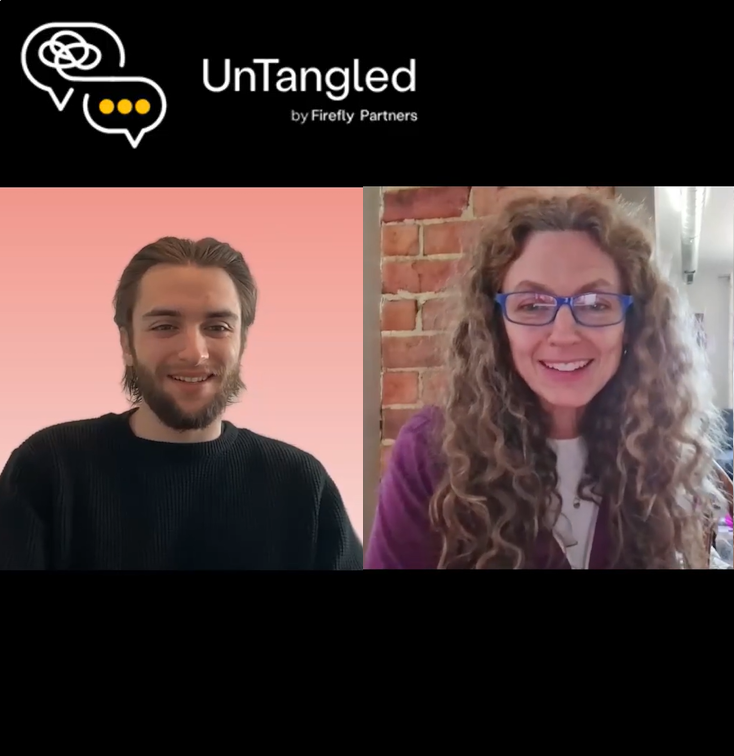

Let me start with full transparency: Ian Hager, Firefly’s Client Relationship Manager, and I have been tinkering with no-code website tools for a few weeks now, and we are not here to tell you we figured it all out. We very much have not. But we have learned a ton, broken some things spectacularly, and have had a genuinely good time doing it. So last week on UnTangled, we pulled back the curtain on our own experiment and talked about the real, unfiltered experience of using these tools to try to rebuild the Firefly website.
How This Even Started
A few weeks ago at NTC (the Nonprofit Technology Conference), I was chatting with Leah Lundberg from Engine 9 and she casually mentioned that she rebuilt the Engine 9 website in, like, a day using one of these no-code tools. I basically said, “No you did not.” She said, “Yes I did.”
Challenge accepted.
We had already been doing some serious positioning work for Firefly using Claude. We knew we needed to update the site to reflect the new AI services we are offering, and the space is moving so fast right now that keeping up through a traditional website workflow was starting to feel painful. So we pulled together our positioning docs, grabbed a mood board, pointed the tools at our existing site, and fired away.
What Actually Happened (The Good Stuff)
First, the wow moments. Ian plugged our website architecture document and some key inputs into Base44, and within minutes it had generated a working, interactive prototype. Brand colors pulled in, basic layout structured, even a conditionalized intake form we had been wanting to build. It was not perfect, but it was a real, clickable proof of concept that took maybe 15 minutes to produce.
I did the same thing in Replit a few days later. One basic prompt, the architecture doc attached, a link to our existing site, and I came back 20 minutes later to a fully structured working prototype. I literally sent Ian a Slack message that said, “Prepare to have your mind blown.”
The iteration experience is also genuinely useful. These tools save checkpoints automatically, so when you go down a rabbit hole and things get weird (more on that in a second), you can roll back to the last version that was not a disaster and start fresh. Built-in staging server, essentially, and a built-in safety net.
What Actually Happened (The Humbling Stuff)
Here is where the transparency really kicks in. After that initial wow moment, I started iterating. And then iterating more. And at some point the site just went off the rails. Images got cut off in odd places. The nav buried itself underneath a hero image. Random visuals appeared that made no contextual sense. As Ian put it, he is now advocating that all organizations using no-code tools publish a blooper reel of their process. Honestly, we would have a good one.
The core lesson: version one can feel pretty exciting. Version two starts to show you what these tools do not understand. There is no human judgment in the loop asking whether something actually makes visual sense. It is just generating until you tell it to stop.
The other big learning is that iteration requires very specific prompts. “Fix the design” does not work. You have to say: here is the exact element, here is how I want it to change, here is how the image should sit inside it, here is the gradient behavior I am looking for. Vague prompts produce vague results, and then you are back to your blooper reel.
My Honest Take Right Now
Here is where I land after all this tinkering: you still have to do a significant amount of work before these tools will produce a full production-ready site that effectively represents your organization. That work has not gone anywhere. If anything, it has to happen earlier and more thoroughly than it did before.
In our case, before Ian and I ever opened one of these tools, we had spent weeks working through Firefly’s positioning with Claude. Who are our audiences? What problems are we solving? What story are we telling? That thinking produced a 40-page website architecture document, complete with content, site IA, CTAs, and customer journeys, and that document became the backbone of every prompt we ran.
The tools are only as good as what you feed them. Skip that upfront work and the output is going to reflect it. And here is the other thing I learned the hard way: giving these tools a solid IA document without a design comp to go with it is tricky. They cannot really mimic the look and feel of an existing site, and without a solid design direction to work from, they are making a lot of visual decisions on your behalf. Some of those decisions are fine. Some of them are deeply questionable.
So are there time savers here? Hells yes. Is it time to cut out your website team? Probably not.
The IKEA Analogy That Has Been Living Rent-Free in My Head
Maiya Holliday, CEO of Mangrove Web, put it perfectly when she said these sites are kind of like IKEA furniture. I keep coming back to that framing, and I want to extend it a little.
IKEA has different levels, right? Some of it is basic particle board that might not survive three apartment moves. Some of it is actually pretty solid. But none of it is as good as higher-end, more solidly built furniture. And none of it is as good as custom furniture built specifically for your home and your life.
You do get what you pay for. And for something as central as your organizational website, the question worth asking is: what level of furniture does this situation actually call for?
For a campaign microsite, a quick prototype, or a proof of concept? These tools are genuinely useful and fast. For a full organizational website that needs to represent your mission, guide different audiences through different journeys, and hold up over time? I think you are still looking at a more substantial process.
Where We Are Headed
We are still experimenting, and I am genuinely enjoying learning in public with this one. My next move is to go back to Claude and write more tailored instructions specifically for Replit before I start iterating inside the tool, rather than building from a general prompt and hoping for the best.
For reference, the Engine 9 site that Leah mentioned at NTC is actually live and built in Replit. So it can be done. We are just not quite there yet, and I think the path to getting there is more front-loaded work, better prompts, and a solid design direction going in.
Now I Really Want to Hear from You
This is where I want to crowdsource some real knowledge. We are all figuring this out together, and the more concrete, the better:
- Which no-code tools are you using, and what do you actually think of them?
- Have you gotten a site to launch-ready using one of these tools? If so, what was your process?
- If you have cut significant time out of a website build using these tools and you are genuinely happy with the result, I would love to hear how you did it. Seriously. Please argue me the point.
- What would you tell someone just starting out with these tools?
- Tips on prompting more effectively? I need them, and so does everyone else reading this.
Love to get your thoughts, and the more specific the better. We are learning in public over here, and this is one of those topics where I am excited to learn along with the smart folks in this community who might just have more answers than I do.
Watch the full episode here:
Got thoughts to share? Drop me a line at jen@fireflypartners.com or find my LinkedIn post and drop a comment there. 🙂
Thanks! You’ll hear back within 48 business hours
In the meantime, why not check out our latest case study?


Whether you need help with a project, want to learn more about us, or just want to say hi, you’ve come to the right place.